YOUR WORKSPACE, CONNECTED
Your desktop.
Within reach.
A fresh Windows workspace for remote support. Connect by ID, keep your devices close, and move files with a new C# desktop interface.
Preview build. Live remote connection validation is pending.
 SNDESK Desktop1.6.0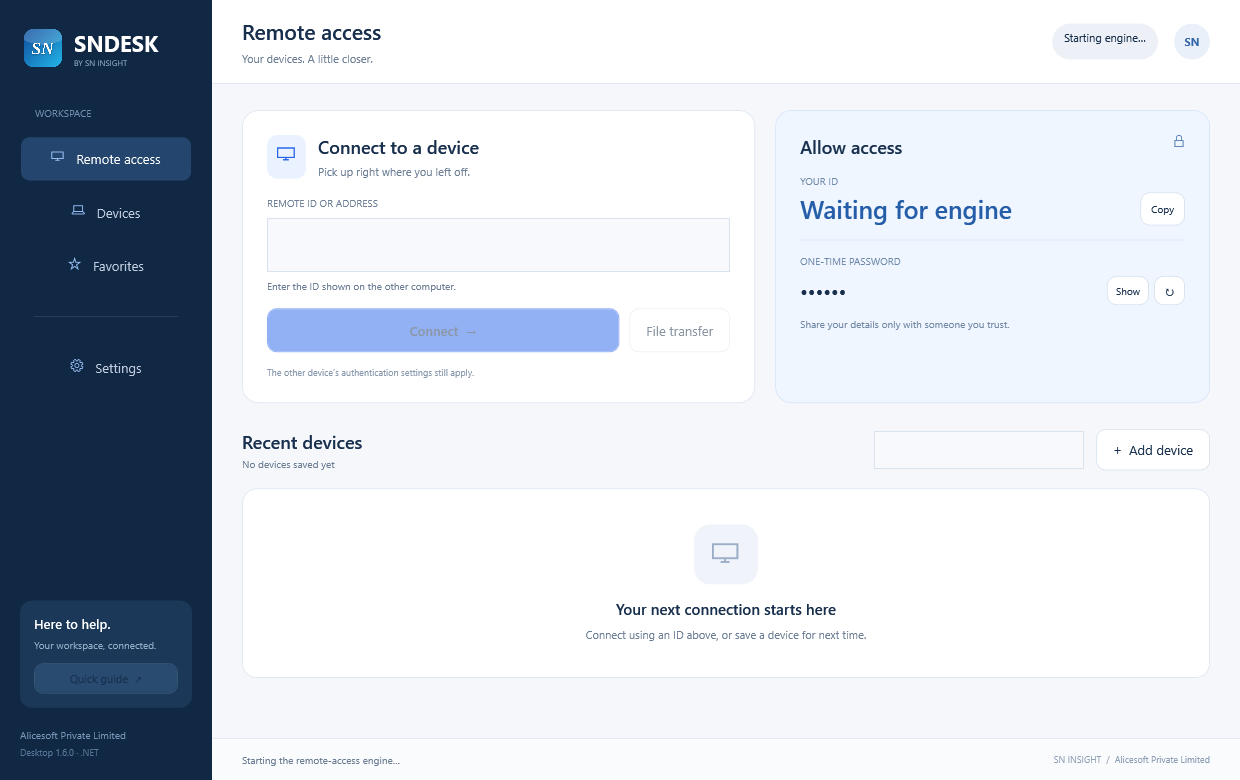
A SHORT WAY TO GET STARTED
Three steps.
One connected workspace.
- 01
Download
Save the Windows x64 MSI installer to your Downloads folder. The .NET runtime is included.
- 02
Install
Open SNDESK-Desktop-1.6.0-x64.msi and follow the setup wizard. This unsigned preview may show a Windows publisher warning.
- 03
Connect
Open SNDESK Desktop on both computers. Enter the other computer’s ID and authenticate, or share your ID with someone you trust. Keep the app open for incoming access.
THE SMALL PRINT, UP FRONT
About this build
A new C#/.NET main interface with devices, favorites, remote access and file transfer controls. The existing RustDesk engine, authentication, settings and session windows are retained. Release builds and seven unit tests pass. The MSI payload is verified; installation and live remote sessions still need testing. MSI packaging does not replace code signing.